Digital Ag Map
Field mapping and farm operations, built on tools you already own. Map your fields, track seeding and harvest, assign equipment, and manage your season from any device. No subscriptions. No proprietary lock-in. No data held hostage.
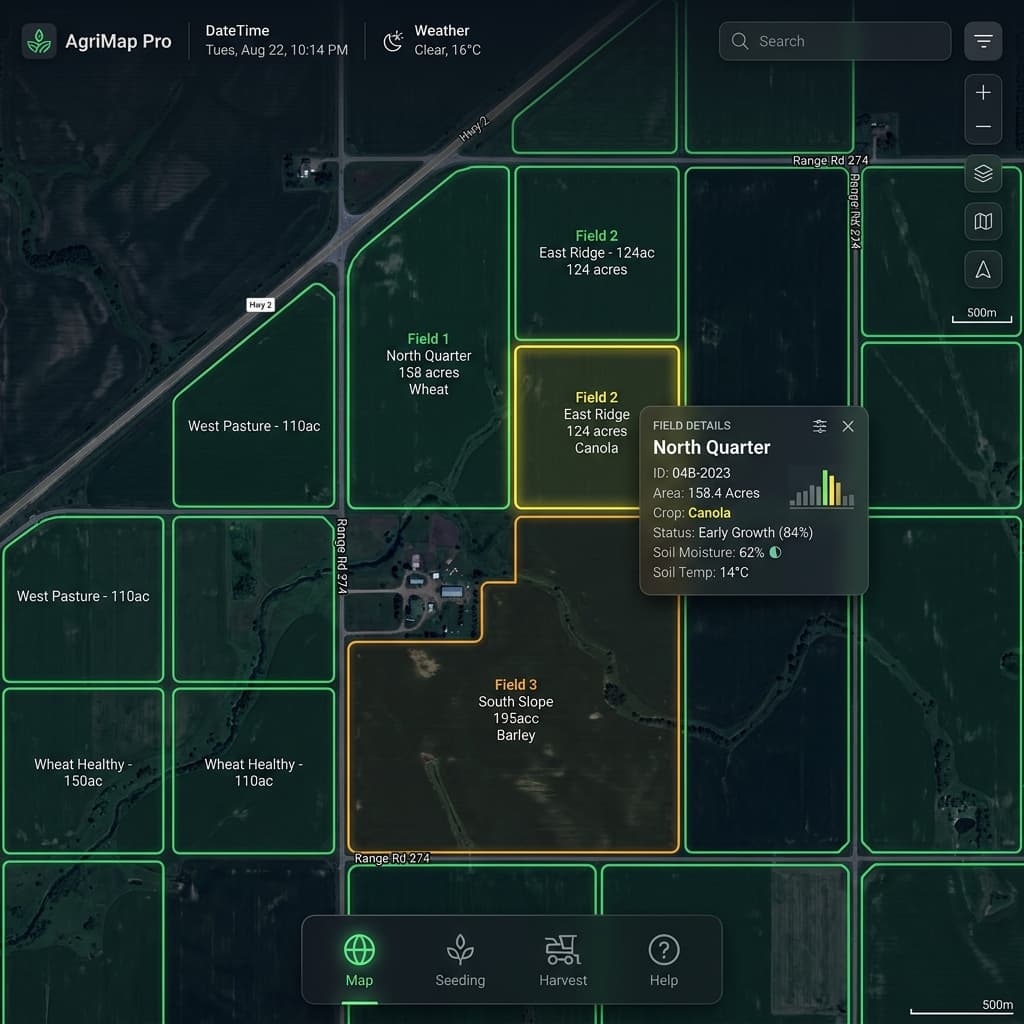
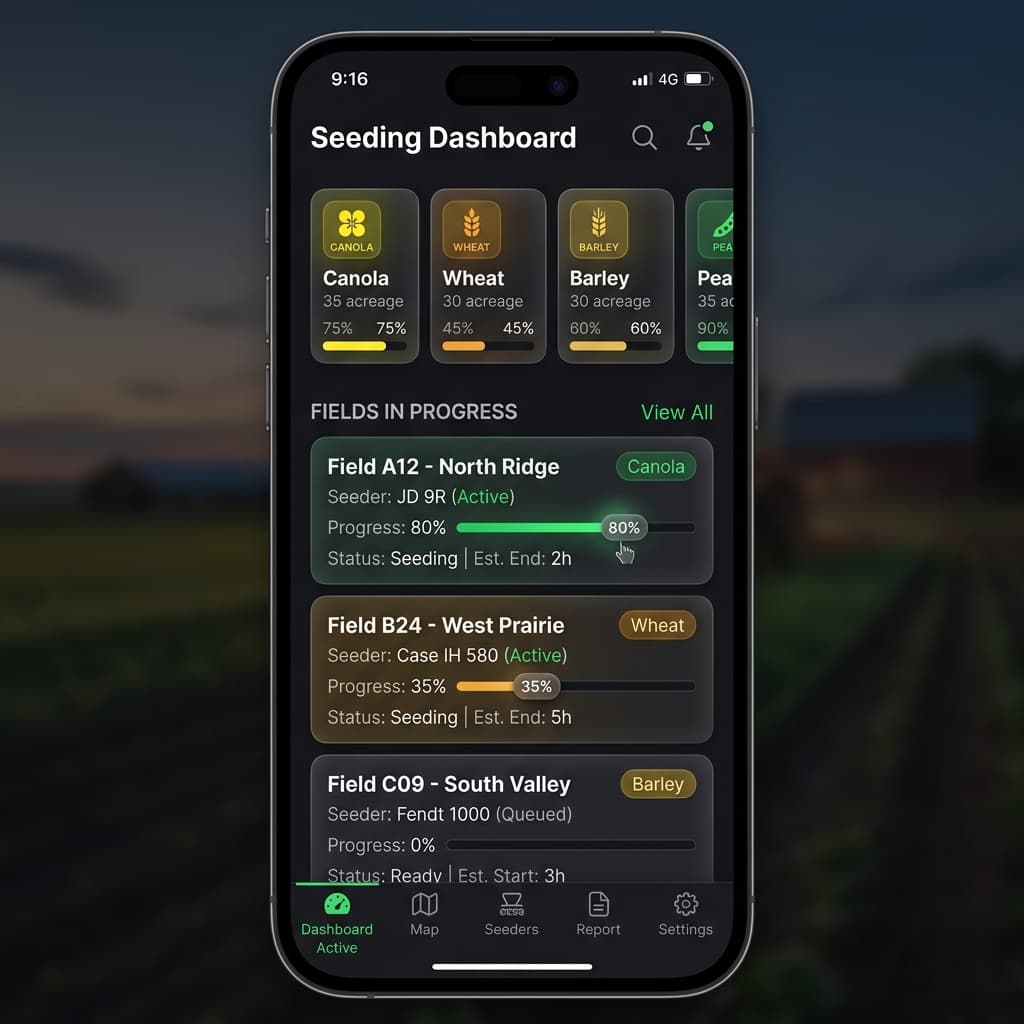
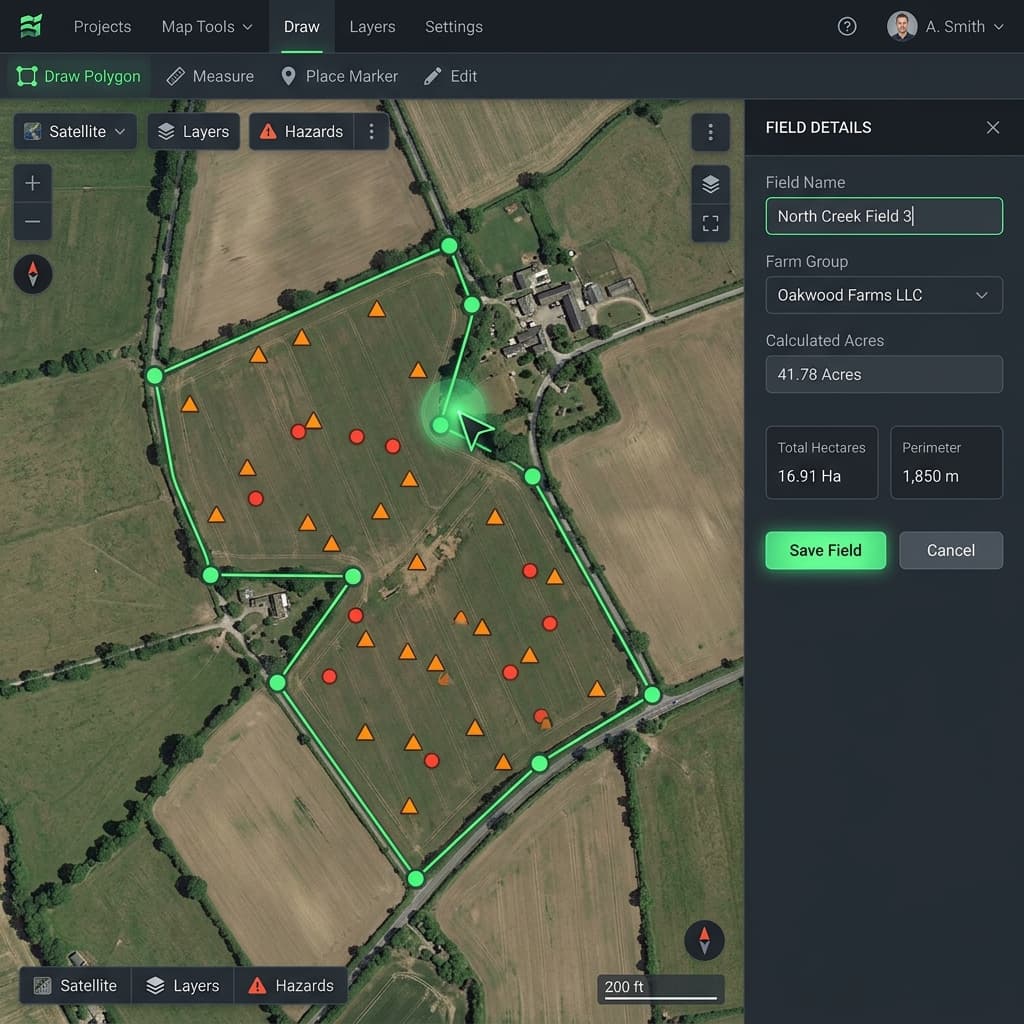
Farm software is expensive, fragmented, and built for someone else's farm.
Most precision ag platforms charge hundreds of dollars a year, bury your data in systems you can't control, and bundle in features you'll never use. When you want your own records, your field boundaries, your application data, your yield history, you're exporting CSVs and hoping they open correctly. That's not a data platform. That's a rental agreement.
Copy a Google Sheet. That's it.
Digital Ag Map runs on Google Sheets and Apps Script, the same tools already sitting in your Google Drive. One click to copy, one click to deploy, and you have a full field-mapping platform. No IT support. No onboarding call. No monthly bill.
What's Included
Everything you need to map, plan, and track your farm operations.
Satellite Field Mapping
Upload field boundary or draw field boundaries directly on ESRI satellite imagery. Auto-calculates acreage using Turf.js. Import existing boundaries from Shapefile, KML, KMZ, or GeoJSON.
Seeding & Harvest Dashboards
Track crop progress across all fields with real-time status. Horizontal-scrolling crop cards, progress bars, and smart number formatting for large yield totals.
Equipment Assignment
Assign seeders and combines to fields with route order planning. Admins configure equipment, crew members update operational status — no PIN required.
Hazard Pins
Drop GPS-tagged pins for rocks, trees, tile outlets, and other hazards. One-tap navigation to any pin or field entrance via Google Maps directions.
Admin & Crew Roles
PIN-based security model. Admins configure crop plans and equipment. Crew members can update status and progress without needing the admin PIN.
Zero Cost — You Own It
Runs entirely on Google Sheets + Apps Script. No subscriptions, no API keys, no vendor lock-in. Copy the sheet and the app is yours to customize forever.
How It Works
Copy the Template
Click "Make a Copy" to clone the Google Sheet, which includes all the code and configuration.
Run Setup
In Apps Script, run setupApp() — it creates all 5 data tabs with headers and sample data automatically.
Deploy as Web App
Deploy → New Deployment → Web App. Set access to "Anyone" and authorize permissions. Your farm map is live.
Add Your Fields
Open the web app, draw field boundaries on the satellite map, import from Shapefile/KML, or enter data directly.
Put It on the Big Screen
Mount a TV in your farm shop or office and load the TV Portal — a purpose-built kiosk view that shows real-time seeding or harvest progress across all your fields at a glance.
- Auto-refreshing satellite map with color-coded field status
- Large, readable text designed for viewing from across the room
- Overall completion percentage and field-by-field progress bars
- Supports both seeding and harvest season views
- Runs on any browser — Smart TV, Fire Stick, old laptop, Raspberry Pi
your-web-app-url?portal=tv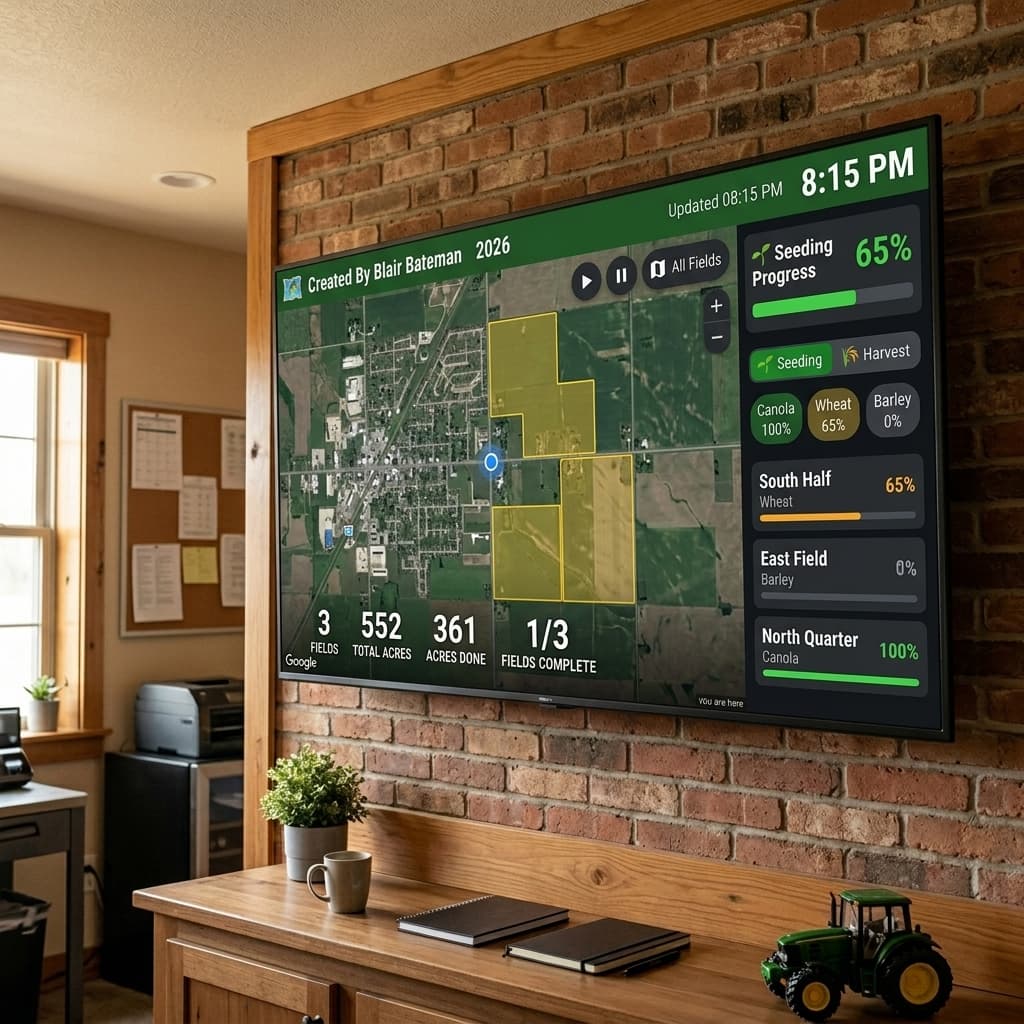
Data Model
All your data lives in 5 Google Sheets tabs you can view, edit, and export anytime.
Technology Stack
Google Apps Script
Backend — routing, CRUD, caching, admin PIN
Google Sheets
Database — 5 tabs (Config, Fields, Seeding, Harvest, Pins)
MapLibre GL JS
Satellite map rendering with ESRI tiles
Turf.js
Geospatial math — acreage calculation, centroid
shp.js / toGeoJSON
Import Shapefile, KML, KMZ boundary files
Ready to Map Your Farm?
Copy the template, follow the setup guide, and have your own farm mapping platform running in under 30 minutes.